Name tracing worksheet generator
Type a name, choose how the letters look, and print a practice sheet on handwriting lines. It’s free, there’s nothing to sign up for, and the name you type never leaves your computer.
Type it the way it should be written, usually a capital first letter, then lowercase.
1 name entered · 1 PDF page
Print at 100% scale (“Actual size”) so the lines match.
How to make a name tracing worksheet
- Type the name the way the child should write it. Most kindergarten teachers want a capital first letter followed by lowercase, like Emma rather than EMMA.
- Pick a letter style. Dotted is the classic look. Solid gray is easier for small hands because the line is thick and unbroken.
- Choose a size. Extra large fits 3 and 4 year olds, and large fits most kindergartners.
- Download the PDF and print it at 100% scale. Choose “Actual size” in the print dialog so the letters land on the lines.
Which settings suit which age
| Age | Letter size | Style | Rows |
|---|---|---|---|
| 3 to 4 | Extra large | Solid gray | Trace every row |
| 4 to 5 | Large | Dotted | Example, trace, write |
| 5 to 6 | Medium | Dotted or dashed | Trace, then write |
Every child is different. If the pencil keeps sliding off the line, go one size bigger.
What the green dots mean
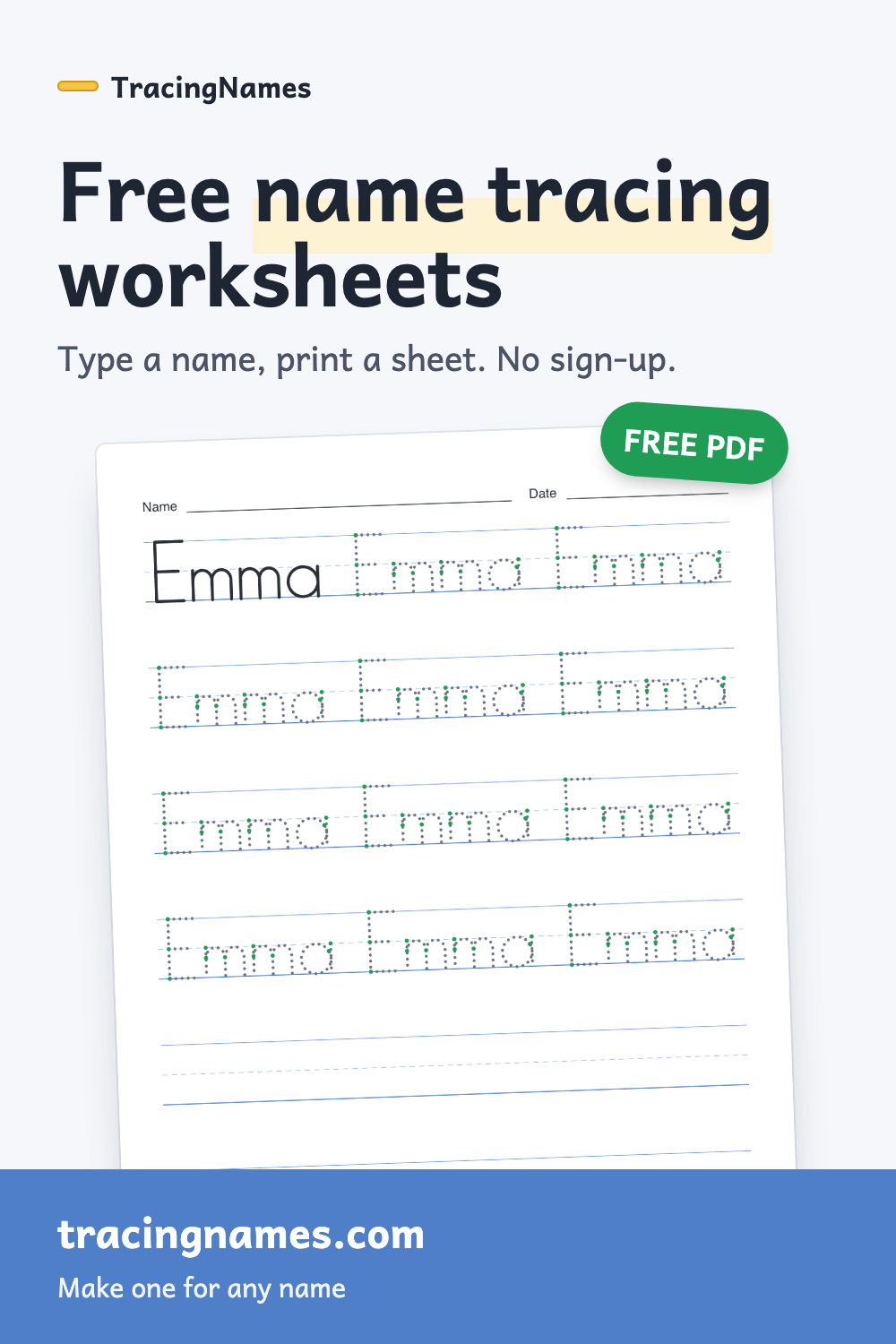
Each letter is drawn as real pen strokes, in the order children are taught to write them. The green dot marks where each stroke begins, so a child knows to start an l at the top line and a circle near the top on the right. You can turn the dots off under More options for a cleaner sheet.
Tips for name practice that sticks
- Trace with a finger first, then a crayon, then a pencil.
- Short and often beats long. One page a day is plenty for a four year old.
- Slide the sheet into a plastic sleeve and use a dry-erase marker to practice again and again.
- Say each letter’s name while tracing it, so the spelling sticks along with the shape.
- If the whole name is too much, start with the first letter alone. The letter tracing page makes a sheet for a single letter.
- Name mastered? Move on to first and last name tracing, numbers or sight words.
See an example name tracing sheet
This fictional Emma example shows large dotted letters with a model row and space to write independently. Enter your own name above, choose US Letter or A4, and print the generated PDF at Actual size.
Questions people ask
Is this name tracing generator free?
Yes. Every worksheet is free to make, download and print for home or classroom use. There is no account and no watermark.
Can I make worksheets for my whole class at once?
Yes. Choose “Whole class” and enter one name per line. You get one PDF with a page for each child. The editable class worksheets page starts with that option turned on.
Does it work with names like José, Zoë or O'Brien?
Yes. Accented letters such as é, ñ, ü, å and ç, as well as hyphens and apostrophes, can all be traced. If a character can't be traced, you’ll see the affected entry and need to correct it before downloading. No letters are silently left out of a PDF.
Is the child's name saved or sent anywhere?
No. The worksheet is drawn and turned into a PDF inside your browser. The name is never uploaded to a server.
Why do the letters look different from a normal font?
They are drawn in the simple ball-and-stick print style used in many US preschool and kindergarten classrooms: single-storey a and g, straight sticks and round circles. That's the style children are asked to copy, so it's the style they should trace.
What paper size should I use?
US Letter is the default. Choose A4 under More options if you are in the UK, Europe, Australia or most other countries.